
Introducing the Gentec-EO Data Viewer
Introducing the Gentec-EO Data Viewer
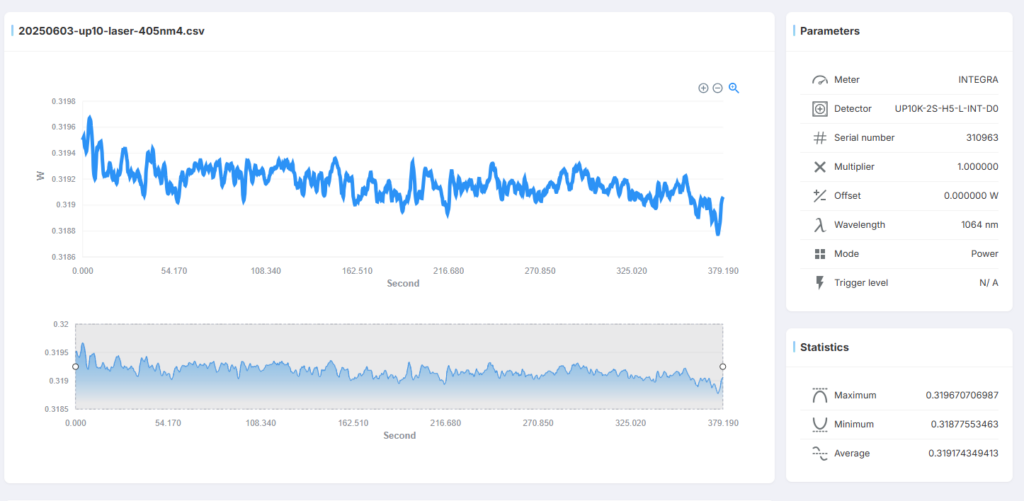
We’re excited to announce a powerful new tool from Gentec-EO: the Data Viewer. Say goodbye to navigating complex Excel menus—now you can chart and analyze your log data in seconds. Simply drag and drop your log file into the intuitive interface, and you’re ready to go!

How to Access the Data Viewer
- Visit our website and navigate to Resources → Data Viewer.
- Drag and drop your log file into the File Import area, or click to select it from your device.
- That’s it! Your data will appear instantly.
Key Features
- Multi-file support: Open as many files as you need and switch between them effortlessly.
- Custom time windows: Use the lower panel to select a time range for focused analysis—perfect for isolating stable readings.
- Cross-platform compatibility: Works with any PC-Gentec-EO log file and runs on any device, including your smartphone. Show charts to clients on the go!
- Privacy first: Your data is never uploaded or stored. Closing or refreshing the browser clears all files.
Pro Tip
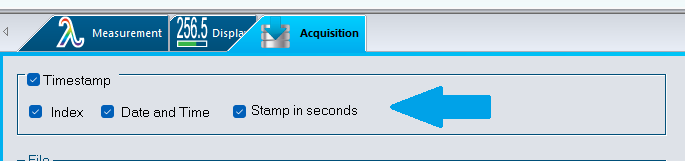
When generating log files in the Acquisition panel of PC-Gentec-EO, enable Timestamp and check all boxes. This ensures every measurement is time-stamped for easy reference.
Go direct to the DataViewer by following this link